Free vs Paid URL Shorteners: What You Actually Get
Search "free url shortener" and you'll get dozens of tools claiming to be free, and almost none of them explaining what that actually means in practice. Every shortener on the market has a free tier — the real question is what it caps, what it omits, and at what point the free version stops being enough for what you're actually trying to do.
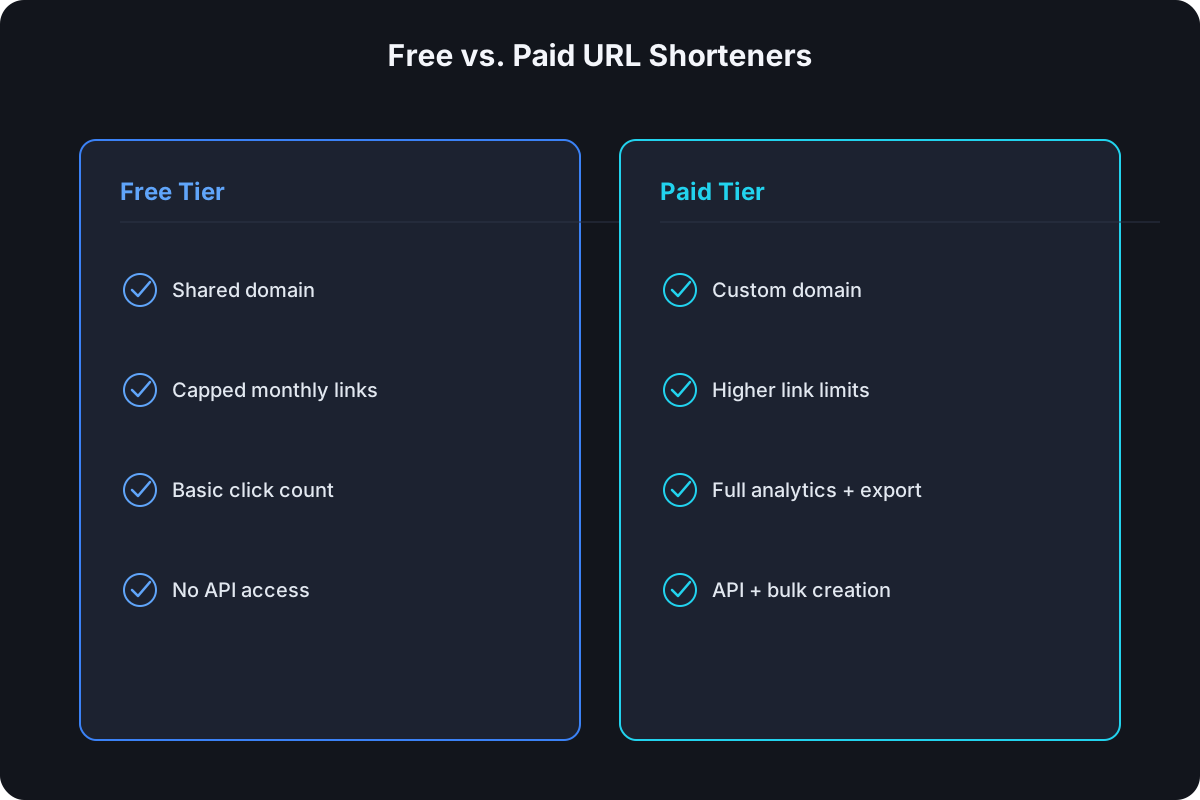
What Every Free Plan Actually Includes
Strip away the marketing and nearly every free tier converges on the same baseline:
- Basic link shortening — a long URL in, a short one out, no functional difference from a paid link in terms of the redirect itself.
- A generic shared domain —
bit.ly,tinyurl.com, or the shortener's own default domain, not a custom one. - Some amount of click tracking — usually a raw click count, sometimes basic device or location data, rarely exportable.
- No signup required for a single link, on tools built around that use case — paste, shorten, done.
If that's genuinely all you need, the free tier of almost any shortener will do the job. The differences start to matter the moment you need more than one of these at scale.
The Limits Free Plans Almost Always Have
Free tiers aren't free to run — every click still costs the provider infrastructure — so the limits are where that cost gets passed back to you:
- A hard monthly link cap. This is the most common lever, and the range is wide: some providers cap free usage at just a handful of links a month, which is enough for testing but not for anything with real volume.
- No custom domain. Custom domains almost universally require a paid plan, because they cost the provider a real DNS and SSL setup per customer.
- Short or nonexistent analytics retention. Free-tier click data often disappears after a short window, or isn't broken down by device, location, or referrer at all.
- No API access, or a rate limit too low to build anything on. Programmatic link creation is usually the first thing gated behind a paid plan.
- No bulk creation. Shortening more than a handful of links means doing it one at a time, by hand.
What You're Actually Paying For When You Upgrade
Paid plans aren't paying for a "better" redirect — the redirect is identical. What actually changes:
- A custom domain, so links read
go.yourbrand.com/launchinstead of a shared domain you don't control and can't brand. - A meaningfully higher (or removed) link cap, sized for real campaign or product volume instead of testing volume.
- Analytics retention and export, so click data survives longer than a few weeks and can leave the vendor's dashboard.
- API access with a usable rate limit, for anything that creates links programmatically rather than one at a time in a UI.
- Team seats, so more than one person can create and manage links under the same account and reporting.
- Link management features — expiry dates, password protection, editing a destination after the link is already shared — that free tiers rarely include at all.
Free vs. Paid: Side by Side
| Typical free tier | Typical paid tier | |
|---|---|---|
| Monthly link cap | Low — often single digits to a few dozen | Thousands to tens of thousands |
| Custom domain | Not included | Included, often from the entry paid tier |
| Analytics retention | Days to a few weeks, if broken down at all | Weeks to months, exportable |
| API access | Absent or heavily rate-limited | Included, with a documented rate limit |
| Bulk/CSV link creation | Not available | Available |
| Team seats | Single user | Multiple seats, shared reporting |
Cut.bd's own free plan sits closer to the generous end of that spectrum than most — 30 links a month with a custom domain and a downloadable QR code included from day one, not gated behind a paid tier. For comparison, Bitly's free tier caps at 5 links a month with no custom domain at any price below its paid tiers. The gap between "free" tiers across providers is often as large as the gap between free and paid on a single provider — worth checking directly rather than assuming "free" means the same thing everywhere.
When Free Is Genuinely Enough
A free tier is the right call, not just a placeholder, when:
- You're sharing a one-off link in a personal message or a single internal doc.
- Volume is low enough that a monthly cap in the single or low double digits realistically covers you.
- Nobody's evaluating the link's domain for trust — it's going to people who already know you, not cold traffic.
- You don't need to look back at click data more than a few days after the fact.
When You'll Outgrow Free Fast
The signals are consistent across almost every use case:
- You hit the monthly link cap and start rationing which links you bother shortening.
- You need a branded domain because the link is public-facing — an ad, a printed piece, a bio link — and a generic shortener domain undercuts trust.
- You want to create links programmatically — from a script, a CMS, an internal tool — and free-tier API access can't support it.
- You need to look at click data from more than a few weeks ago to actually evaluate a campaign, not just glance at a live count.
- More than one person needs to create or manage links and you're currently sharing a single login to do it.
Any one of these is usually enough reason to upgrade on its own; most teams that outgrow a free plan hit two or three at once.
Frequently Asked Questions
Is a free URL shortener actually free forever, or is it a trial? Depends on the provider — most free tiers (including Cut.bd's) are permanently free at their capped usage level, not a time-limited trial. Check specifically whether the plan is described as "free" or "trial" before assuming.
Do free URL shorteners expire links? Not usually by default, but some providers apply shorter retention or expiry specifically to free-tier links as a cost-control measure. Worth checking per provider rather than assuming.
Can I get a custom domain on a free plan anywhere? It's rare but not universal — most providers gate custom domains behind a paid tier, though a few, including Cut.bd, include one on the free plan.
What's the real cost of staying on a free plan too long? Usually not money — it's the operational cost of working around limits: rationing links, losing analytics history, or manually creating links a bulk endpoint would otherwise handle in seconds.
Where Cut.bd Fits
If you're deciding between free and paid, Cut.bd's free plan is built to cover more than a typical free tier — 30 links a month, a custom domain, and automatic QR codes included, with paid plans scaling link allowance, analytics retention, and API access from there rather than re-gating features you already had.
Found this useful? Share it.
Try Cut.bd's link shortener — free, no account required.
Shorten a link