What Is a URL Shortener? How It Works (2026 Guide)
A URL shortener is a tool that takes a long web address and turns it into a short, clickable link that redirects visitors to the original page. cut.bd/launch and yourstore.com/products/summer-collection-2026?utm_source=instagram&utm_medium=story can point at the exact same page — the difference is that one is short enough to read aloud, type from memory, or fit on a business card, and the other isn't.
It sounds like a small trick, and technically it is — but understanding what's actually happening between the click and the redirect explains why some shorteners are worth trusting with your links and others aren't.
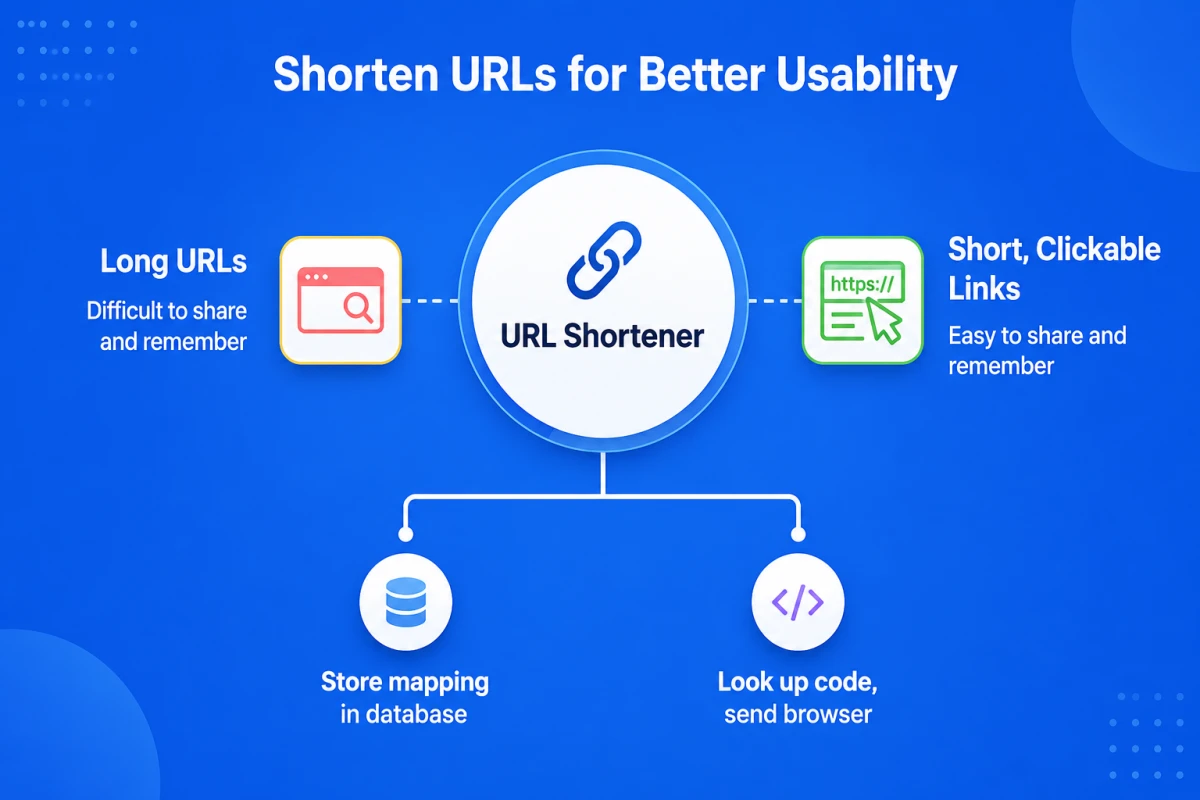
What Is a URL Shortener, Exactly?
A URL shortener is a web service that maps a short, unique code to a longer destination URL and stores that mapping in a database. When someone visits the short link, the service looks up the code, finds the matching destination, and sends the visitor's browser there automatically. The visitor never sees the lookup happen — it adds a few milliseconds, not a visible step.
Every short link has the same three parts: a domain (generic, like bit.ly, or branded, like cut.bd or your own go.yourbrand.com), a short code (/launch, /x7fQ2), and — invisible to the visitor — the destination URL it's mapped to.
How Does a URL Shortener Work? The Three Steps Behind Every Redirect
- You submit the long URL. The service generates a short code for it — either automatically or as a custom alias you choose yourself — and saves the pairing of
short_code → destination_urlin its database. - Someone clicks the short link. Their browser sends a request to the shortener's domain, which routes to the short code.
- The server looks up the code and redirects. It finds the matching destination and returns an HTTP redirect response, and the browser follows it to the original page.
Short codes themselves are generated one of two ways. The most common is Base62 encoding of an auto-incrementing database ID — Base62 uses the 62 characters 0-9, a-z, and A-Z, so a numeric ID like 125 can compress down to a handful of characters instead of staying a long decimal number. The alternative is random string generation with a collision check against existing codes, which produces less predictable, harder-to-guess slugs. Most services also let you skip both and pick a custom alias yourself, provided it isn't already taken.
301 vs. 302: The Redirect Type Behind Every Short Link
The redirect a shortener sends back carries an HTTP status code, and which one it uses matters more than it looks. A 301 means "moved permanently" — browsers and CDNs are allowed to cache that response, so on a repeat visit the browser can skip the shortener's server entirely and jump straight to the destination. A 302 means "moved temporarily," which browsers generally don't cache the same way, so every single click actually reaches the shortener's server first.
That's why most URL shorteners default to 302 even though the link isn't really temporary: if every click has to hit the server, every click can be logged. A cached 301 quietly undercounts clicks, since repeat visits never check in.
Types of URL Shorteners
- Free public shorteners — a shared domain, no account needed, good for a one-off link. See our breakdown of what a free plan actually includes before assuming "free" means unlimited.
- Self-hosted / open-source shorteners — you run the service yourself, trading setup and maintenance time for full control of the data.
- Branded business shorteners — a custom domain, click analytics, an API, and team features, aimed at links that are shared publicly and repeatedly rather than sent once.
Why People and Businesses Actually Use URL Shorteners
- Character limits. Print, SMS, and some social platforms still truncate or penalize long URLs.
- Click analytics. A shortener sits in front of every click, so it can report device, location, referrer, and timing data a raw link never gives you.
- Branding and trust. A link on your own domain reads as legitimate in a way a generic shortener domain doesn't.
- QR codes. Scanning a QR code is just clicking a link with a camera — if the code encodes a short link instead of the raw destination, the scan becomes a trackable event. More on that in how QR codes and short links work together.
Are URL Shorteners Safe to Click?
A short link hides its destination until you click it, which is exactly what makes it useful for a business card and exactly what phishing campaigns exploit. The technology itself isn't the risk — a reputable provider scans submitted destinations against malware and phishing blocklists and enforces HTTPS on the redirect. The real question is always who issued the link, not which shortener they used — see our full breakdown of red flags and how to check a link before clicking for the practical side of that question.
The same click-tracking that makes shorteners useful for marketing also means they collect real data about real visitors — worth understanding if any of your audience is in the EU or UK.
How to Choose a URL Shortener in 2026
- Custom domain support, and at what plan tier it's actually included rather than gated behind Enterprise pricing.
- Click analytics you can export, not just view in a dashboard you can't pull into your own reporting.
- An API for creating links programmatically, plus bulk creation if you ever need to shorten more than a handful at once — see the full URL shortener API reference.
- Link management — expiry dates, password protection, and the ability to edit a destination after the link is already printed or shared.
- Transparent data handling — a stated retention window and a clear answer on how click data is collected and stored.
Frequently Asked Questions
Is a URL shortener free to use? Most offer a free tier, but "free" usually caps the number of links per month and may not include a custom domain — check the allowance before assuming it covers real usage.
Do shortened URLs expire? Not by default — a short link works indefinitely unless you set an expiry date yourself or the provider enforces one on free-tier links.
Can I customize what a short URL says? Yes, on most services — you can usually choose a custom alias (cut.bd/launch instead of a random string) in place of an auto-generated code.
Do URL shorteners hurt SEO? Not for the destination page itself — search engines crawl and rank the page a link redirects to, not the short link. The exception is using a shortener for your own site's internal navigation, which adds an unnecessary redirect hop.
What happens if a URL shortening service shuts down? Every link you've shared through it breaks at once — in old emails, printed materials, social posts. It's the strongest argument for a provider with a track record, or for owning the domain the links live on yourself.
Where Cut.bd Fits
Cut.bd's Free plan includes 30 links a month on the shared Cut.bd domain, a QR code generated automatically for every link, and click analytics on the same dashboard — no separate tools to reconcile. You can try it with no account required, or sign up for analytics retention and choose Starter or higher to connect a custom domain.
Found this useful? Share it.
Try Cut.bd's link shortener — free, no account required.
Shorten a link