Are URL Shorteners Safe? Risks & Red Flags
"Are URL shorteners safe" is really two different questions wearing one sentence. One is about the technology — is a redirect itself dangerous? (No, mechanically it's just an HTTP response telling a browser where to go next.) The other is about trust — can you tell what a specific short link will do before you click it? That second question is the one worth actually answering, because the honest answer is: not from the link alone, but there's a real checklist that gets you most of the way there.
Why a Short Link Can Hide What a Normal Link Wouldn't
A full URL gives you free context clues before you ever click it: the domain, whether it matches the brand it claims to be from, whether the spelling is slightly off in a way that suggests impersonation. A short link strips all of that away by design — cut.bd/launch tells you nothing about where it actually goes, and that's true whether the destination is completely legitimate or actively malicious. The format doesn't create the risk; it just removes the one signal you'd normally use to evaluate it, which is exactly why phishing campaigns lean on shorteners so heavily. Hiding the destination isn't a side effect for an attacker — it's the entire value of using one.
Red Flags Worth Checking Before You Click
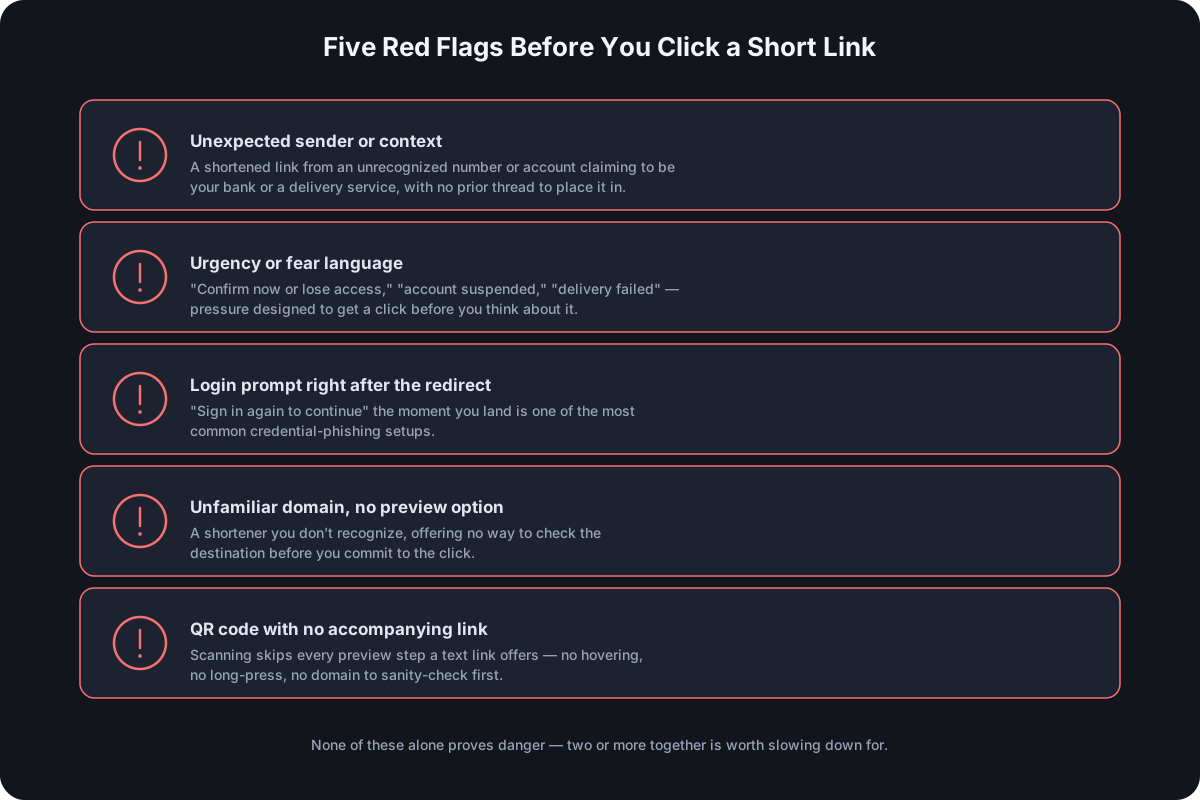
None of these alone proves a link is dangerous, but they stack, and a link with two or more is worth slowing down for:
- It arrived somewhere unexpected. A shortened link in a text from a number you don't recognize, claiming to be your bank or a delivery service, is a different situation than the same link in an email thread you were already part of.
- It uses urgency or fear. "Your account will be suspended," "confirm now or lose access," "package delivery failed" — pressure language exists specifically to get you to click before you think, and it's disproportionately common in malicious links versus legitimate ones.
- It asks for a login right after the redirect. A legitimate link rarely needs you to "sign in again to continue" the moment you land — that pattern is one of the most common credential-phishing setups, precisely because the redirect already got you past your own skepticism about the link itself.
- The domain is unfamiliar and you can't preview it. A well-known shortener you recognize is a different risk profile than one you've never seen, especially if it doesn't offer any way to check the destination before committing to the click.
- It's a QR code with no accompanying link. A QR code is just a visual encoding of a URL — scanning one commits you to a redirect with even less context than clicking a text link, since there's nothing to preview first.
How to Preview a Short Link's Destination Without Clicking It
You have more options here than it might seem:
- Hover on desktop. Most browsers show the actual short-link URL in a status bar when you hover over it — that alone doesn't reveal the destination, but it confirms which shortener is actually being used, which matters for the next steps.
- Long-press on mobile instead of tapping. Most mobile browsers and messaging apps show a preview or a "copy link" option on a long-press, letting you inspect the URL string before committing to opening it.
- Use the shortener's own preview feature, if it has one. Several major public shorteners support appending a character to the short link (a trailing
+is common) to load an information page showing the destination instead of redirecting immediately. - Use an independent link-expander tool. A number of free, standalone services exist specifically to resolve a short link to its final destination without visiting it yourself — useful precisely when you don't trust the shortener enough to use its own preview feature.
None of these are foolproof against a determined, sophisticated attacker, but they cover the overwhelming majority of real-world phishing attempts, which tend to rely on volume and urgency rather than technical sophistication.
QR Codes Raise the Same Question, With Less Context
Everything above gets harder with a QR code specifically, because scanning one skips every preview step available to a text link — there's no hovering, no long-press, no visible domain to sanity-check before your camera commits to the redirect. Security researchers have taken to calling this pattern "quishing" (QR phishing), and it's grown alongside QR codes becoming permanent, expected infrastructure rather than a novelty — a fake parking-ticket QR code stuck over a real one, or a QR code swapped on printed signage, both exploit the exact same trust gap a shortened text link does, just with one fewer layer for the target to check.
What Reputable Shorteners Do on Their End
Some of this risk gets reduced before a link even reaches you, on the provider's side — screening submitted destinations against phishing and malware blocklists at creation time, rate-limiting bulk link creation, and monitoring for abuse after a link goes live are all things a well-run shortener does specifically to keep its own domain from becoming a trusted-looking delivery mechanism for attackers. This isn't universal — a shortener with zero screening is a phishing tool by default, not through negligence but because the format works exactly as designed for a use case it wasn't built for — which is exactly why the checklist above matters regardless of which provider issued the link you're looking at.
If You Already Clicked a Suspicious Link
- Check whether you entered anything. If you typed a password, PIN, or payment details on the page you landed on, change that password immediately — on that account and anywhere else you reused it.
- Run a malware scan if the site prompted a download or you're on a platform where drive-by downloads are a realistic risk.
- Report the link to the shortener that hosted it, if you can identify it — most legitimate providers have an abuse-reporting channel specifically because they don't want their domain associated with phishing either.
Clicking a bad link isn't itself the disaster — entering credentials or downloading something on the other end usually is. Closing the tab immediately, without interacting further, limits most of the realistic damage.
Frequently Asked Questions
Is it the URL shortener's fault if a link turns out to be malicious? Only if the provider did no screening at all and ignored abuse reports — the shortener is a delivery mechanism, and responsibility for what gets sent through it is shared between whoever issued the link and how much screening the provider actually does.
Are branded, business shorteners safer than free public ones? Generally yes, though not because of the branding itself — a business shortener tied to a paying account with a reputation to protect has stronger incentives for screening and faster abuse response than a fully anonymous, free shortener with no accountability trail.
Can antivirus software catch a malicious short link? Many modern antivirus and browser safe-browsing features check destinations against known-bad lists in real time, which catches previously reported threats — it won't catch something brand new, which is why the manual checklist still matters as a second layer.
Does it matter if the short link uses HTTPS? It's a narrower signal than people assume — HTTPS on the redirect protects the integrity of that hop from tampering in transit, but it says nothing about whether the destination itself is trustworthy. A phishing page can use HTTPS just as easily as a legitimate one.
Is clicking a short link ever completely safe? No click on an unfamiliar link from an unverified source carries zero risk, but the actual danger concentrates in what happens after the redirect — entering credentials or downloading a file — not in the redirect itself.
Where Cut.bd Fits
A custom branded domain is the one part of this that a business sending short links actually controls directly — a link on your own domain gives recipients the one context clue a generic shortener domain can't, which is exactly the kind of transparency this whole checklist is built around needing. For what happens on the provider side to keep a domain from becoming a phishing vector in the first place, see how shorteners screen for abuse.
Found this useful? Share it.
Try Cut.bd's link shortener — free, no account required.
Shorten a link