URL Shortener Pricing Compared: What's Worth Paying For
Every URL shortener's pricing page uses roughly the same tier names — Free, Team, Enterprise — which makes them look more comparable than they actually are. The tier names don't tell you what's worth paying for; the individual features behind them do. This is that breakdown, feature by feature rather than plan by plan.
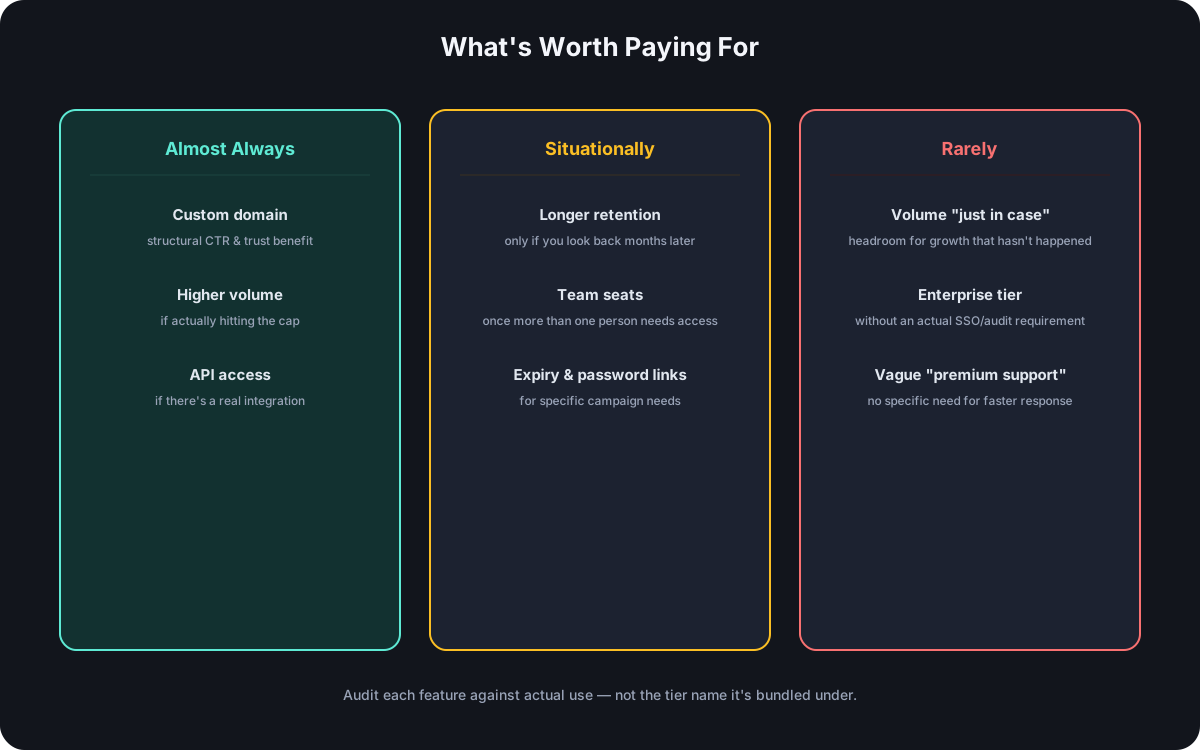
What You're Actually Paying For
Strip the tier names away and every provider is really selling some combination of: a custom domain, more monthly link volume, longer analytics retention, API access, team seats, advanced link management (expiry dates, password protection), and support response time. The free-vs-paid line itself is one question; which of these specific features is worth crossing that line for is a different, more useful one.
Worth Paying For, Almost Always
- A custom domain — the CTR and trust mechanism behind this is structural, not speculative: the domain is the only pre-click signal a short link carries, and a branded one borrows trust a generic one can't. This is the paid feature with the clearest, most consistent payoff across use cases.
- Higher link volume, if you're actually hitting the free cap — not "might hit it eventually," but a real, current constraint. Paying to remove a limit you're not close to is paying for headroom you don't need yet.
- API access, if there's an actual integration — a real need to create links programmatically pays for itself immediately; API access with no integration behind it is a feature sitting unused.
Worth Paying For, Situationally
- Analytics retention beyond a few weeks — matters specifically if campaigns get evaluated against historical data months later; if reporting always happens within days of a campaign ending, longer retention isn't adding value.
- Team seats — worth paying for the moment more than one person needs to create or manage links; worthless overhead before that point.
- Advanced link management (expiry dates, password protection) — valuable for specific cases: a time-limited offer, an access-restricted document. Not every link needs either.
Rarely Worth Paying For
- Volume "just in case." Buying headroom for growth that hasn't happened yet is paying rent on a hypothetical — check real usage first, then size the plan to it.
- Enterprise features without an actual organizational requirement. SSO, audit logs, and contractual SLAs solve specific, checkable problems — paying enterprise pricing without one of those specific requirements buys compliance overhead nobody asked for.
- Vague "premium support" with no specific need for faster response. Worth it if a slow response genuinely blocks something time-sensitive; otherwise it's paying for reassurance rather than a used feature.
How to Calculate Whether an Upgrade Pays for Itself
Two different kinds of payoff, and they need different math:
- Direct cost math — divide the plan's price by its link allowance for a real cost-per-link, the same calculation worth running when comparing rate limits and volume across any API. If the free tier's cap is the actual blocker, this comparison is straightforward.
- Indirect value — a custom domain doesn't reduce a cost, it improves an outcome (click-through rate) through a mechanism that's well-understood even without a specific number attached to it. The right question isn't "does this pay for itself in dollars" but "does the mechanism apply to what I'm actually doing" — a domain seen by cold traffic benefits more than one seen only by an audience that already trusts the sender regardless of domain.
A Framework for Evaluating Any Provider's Pricing Page
The same audit works regardless of which provider's page you're reading:
- List what's actually included at the tier you'd pay for — not the marketing headline, the specific feature list.
- Cross-check each item against the "almost always / situationally / rarely" categories above.
- Flag anything vague — "advanced analytics," "priority everything" — and find the specific feature it's supposed to mean before assuming it matters to you.
- Total up only the features that land in "almost always" or a genuine "situationally" match — that's the plan actually worth paying for, which may not be the plan the pricing page pushes hardest.
Frequently Asked Questions
Is it ever worth paying for a plan mostly for one specific feature? Yes — a custom domain alone often justifies an upgrade on its own, given how directly it affects trust and click-through. One clearly valuable feature can outweigh several unused ones on the same tier.
Should I upgrade preemptively before hitting a limit? Generally no for volume-based limits — there's little cost to upgrading exactly when the limit becomes real, and no benefit to paying ahead of that point. The exception is a feature with setup lead time, like a custom domain, worth arranging before it's urgently needed.
How do I know if "enterprise" pricing is actually necessary for my team? Check it against a specific requirement — SSO mandated by IT policy, an audit log required by a security review — rather than team size alone. The full breakdown covers exactly this distinction.
Do more expensive plans always include better analytics? Not necessarily in a way that matters for every use case — longer retention and more granular breakdowns are the usual differentiators, but if current reporting needs are already met by a lower tier, more analytics depth isn't automatically worth paying for.
Where Cut.bd Fits
Cut.bd's Free plan includes the feature most consistently worth paying for elsewhere — a custom domain — without gating it behind a paid tier, alongside 30 links a month and API access. Paid plans scale link volume and team seats specifically, rather than re-bundling features that are already included free. See the complete guide to Bitly alternatives for how this compares across the category.
Found this useful? Share it.
Try Cut.bd's link shortener — free, no account required.
Shorten a link